
Part 1 · Interview
Answer questions about familiar topics. Give a direct answer and add a relevant detail.
IELTS ACADEMIC & GENERAL TRAINING
Practise all three IELTS Speaking parts in Swiftuni. On tests with Examiner Simulation, follow a video examiner through a timed session. Use Practice mode when you want to focus on one part.
Choose Academic or General Training in your account. Test availability depends on your account.
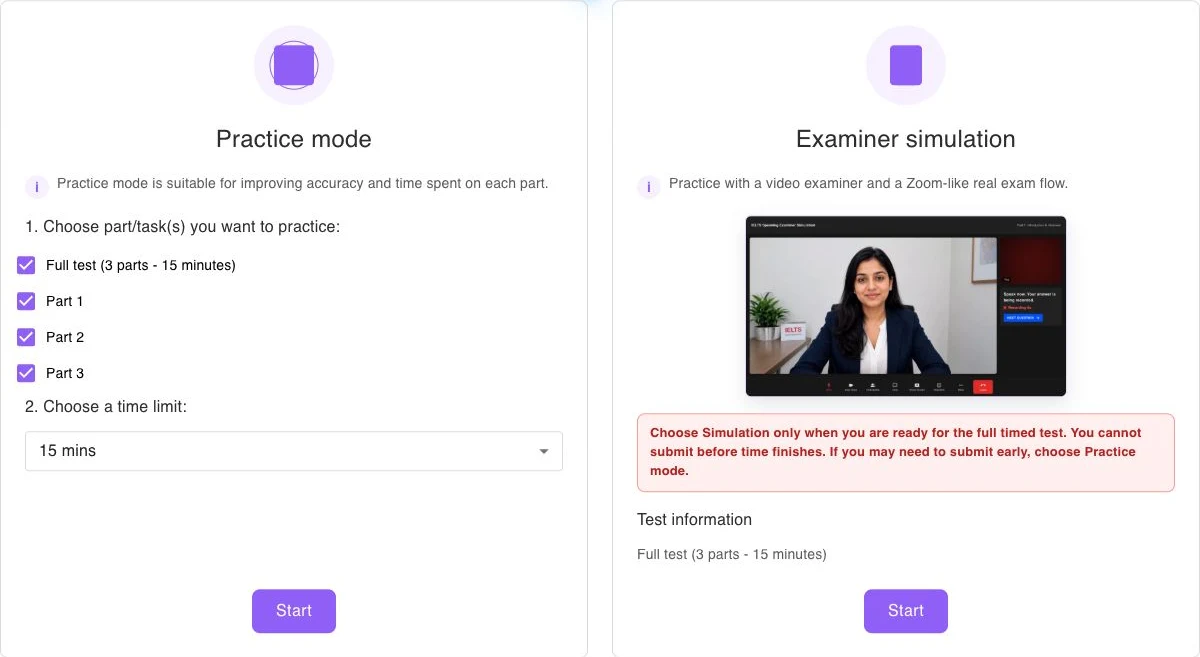
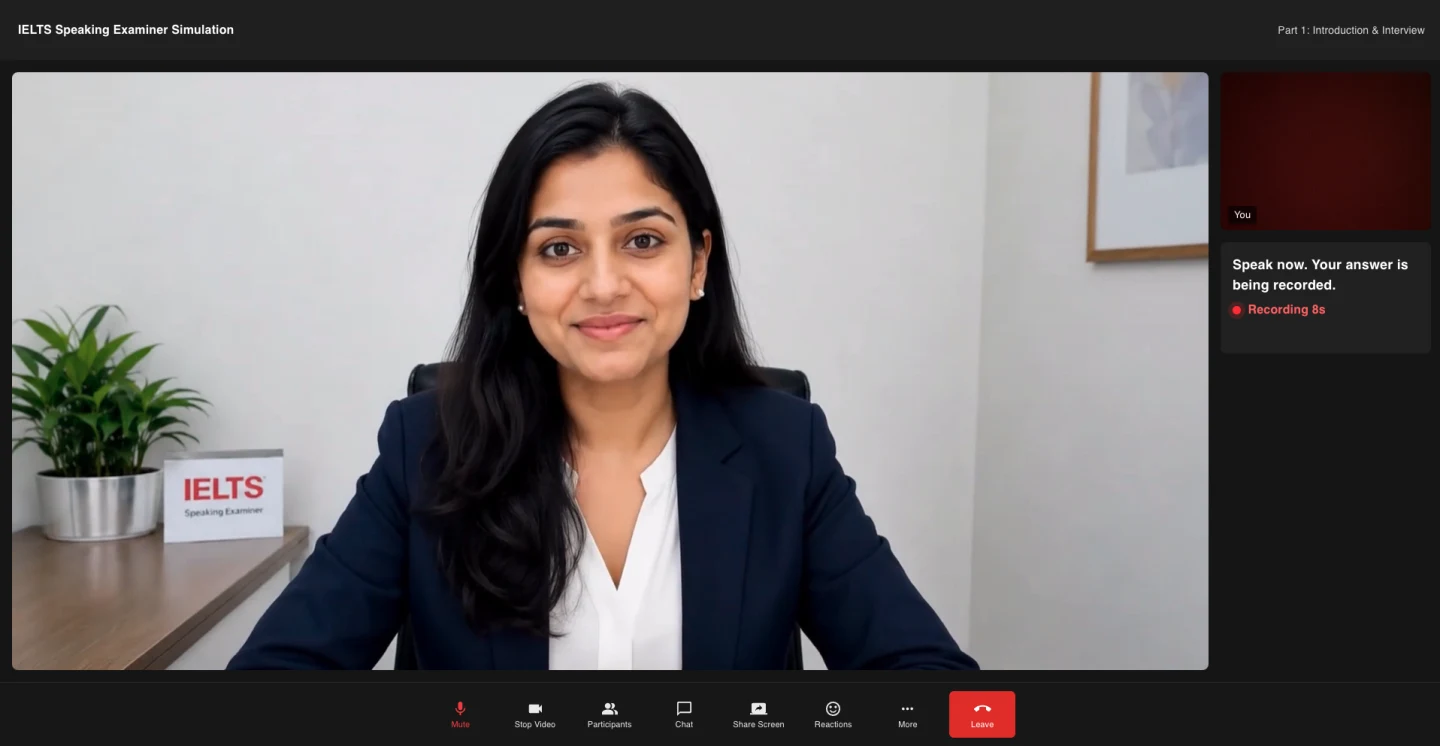
Automatic mode advances after silence and works best in a quiet room.
Manual next mode lets you move on yourself by pressing Next Question after each answer.
For a focused session with the option to finish early, choose Practice mode from the test menu.
Answer questions about familiar topics. Give a direct answer and add a relevant detail.
Use the cue card to organise your ideas, then develop your answer with a specific example.
Explain an opinion, compare viewpoints and support your answer with reasons.
BEFORE YOU BEGIN
In Swiftuni, open IELTS, choose Speaking under Sectional Mock Test, and select a test marked Exam Simulation. Then choose Examiner simulation.
The examiner simulation asks for both before you join the room. The app uses the camera for your live preview and saves your audio answers.
Yes. In Practice mode, select the parts you want to work on. Examiner Simulation runs the full timed Speaking session.
Swiftuni’s practice feedback is an estimate to help you decide what to work on before your exam.
MAKE YOUR NEXT SESSION COUNT
Open Swiftuni in your browser, select your exam and choose a task that fits today.
Open the web app Check practice plans