
Reading & Writing Fill in the Blanks
Use meaning, grammar and the words around each gap to choose an option.
PTE ACADEMIC & CORE
Practise PTE reading with Swiftuni: fill in the blanks, re-order paragraphs and answer multiple-choice questions. Choose your exam, work through a passage and check the answers and explanations available for that question. Build understanding—not just a memory of the right option.
Choose Academic or Core in your account. Access depends on your plan and available usage tokens.
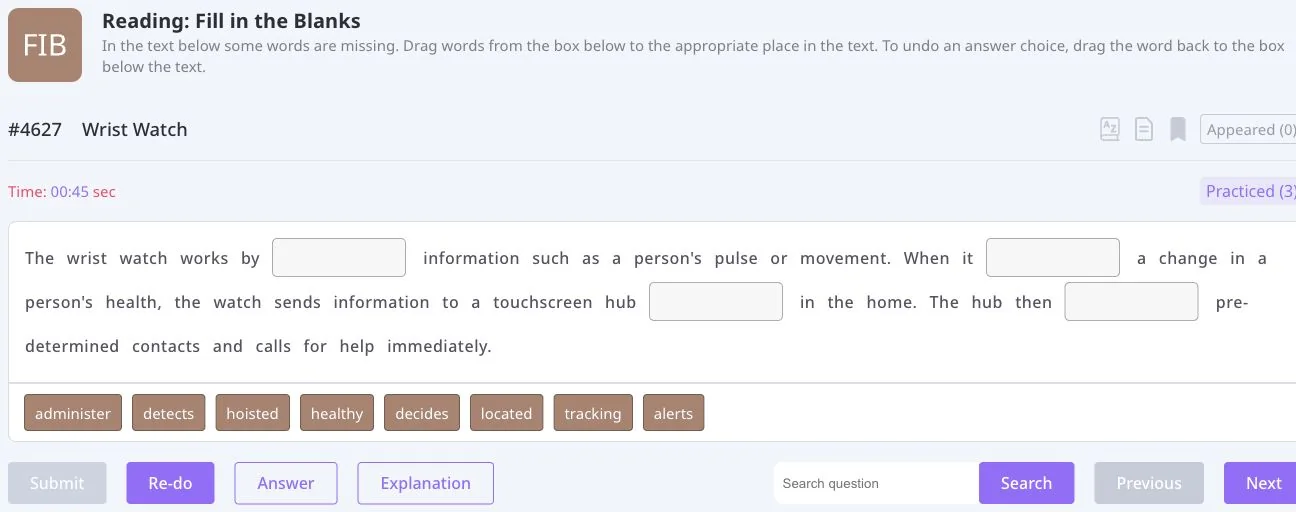
KNOW YOUR TASK
Choose Academic or Core inside Swiftuni, then follow the instructions for the question you open.
Use meaning, grammar and the words around each gap to choose an option.
Read the whole passage before placing the available words into the gaps.
Look for an opening idea, references and a logical sequence between paragraphs.
Identify what the question asks and compare each option with the passage.
Evaluate each option against the text rather than choosing by familiarity.
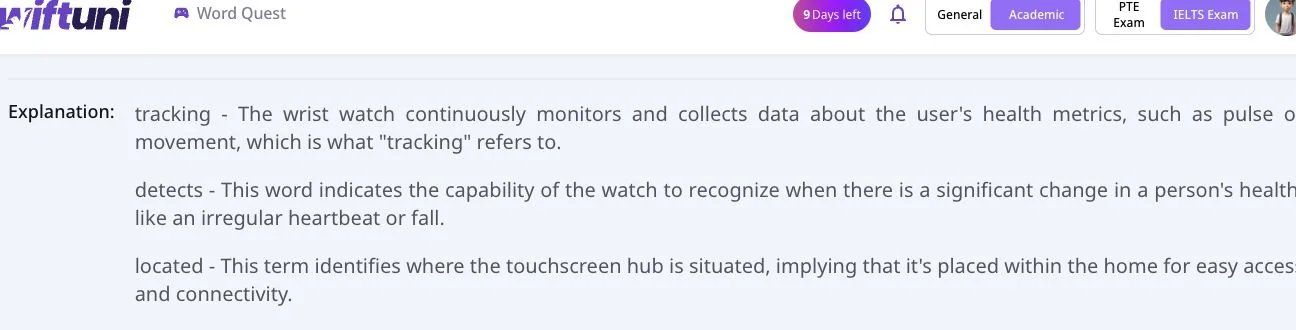
REVIEW WITH A PURPOSE
The actual explanation shown here connects each answer to the sentence: tracking describes collecting health information; detects describes recognising a change. This is more useful than simply remembering the position of an option.
Check the answer against the passage first, then read the explanation where one is available. If you chose differently, identify whether the difficulty was meaning, grammar or context.
Explore WordQuestA ROUTINE YOU CAN REPEAT
Identify the passage’s topic and how the ideas connect.
Use the text as evidence rather than guessing from a single familiar word.
Compare the answer with the surrounding language and available explanation.
Practise the pattern you missed on a different question.
PUT THE SKILLS TOGETHER
Use focused practice to work on a specific difficulty. When you want a broader session, explore the full, sectional and question-type mock tests available for your selected exam and account.
Explore PTE mock testsBEFORE YOU BEGIN
Swiftuni includes Reading & Writing Fill in the Blanks, Reading Fill in the Blanks, Re-order Paragraphs, Multiple Choice Single Answer and Multiple Choice Multiple Answers. Follow the instructions for your selected exam and question.
Use the answer and explanation tools shown for the individual question. Availability can vary; do not assume that every question has the same review tools.
Select Core in Swiftuni before choosing your practice. Use the task instructions for that mode rather than assuming Academic and Core requirements are identical.
Sign in to see the questions and features available to your account. Access can depend on your plan; not every question or additional feature is necessarily free.
Review unfamiliar words in their sentence, then revisit them in another context. WordQuest offers another place to build an English practice habit alongside exam preparation.
MAKE YOUR NEXT SESSION COUNT
Open Swiftuni in your browser, select your exam and choose a task that fits today.
Open the web app Check practice plans