
Read ahead
Check the instructions and anticipate the kind of answer each gap needs.
IELTS ACADEMIC & GENERAL TRAINING
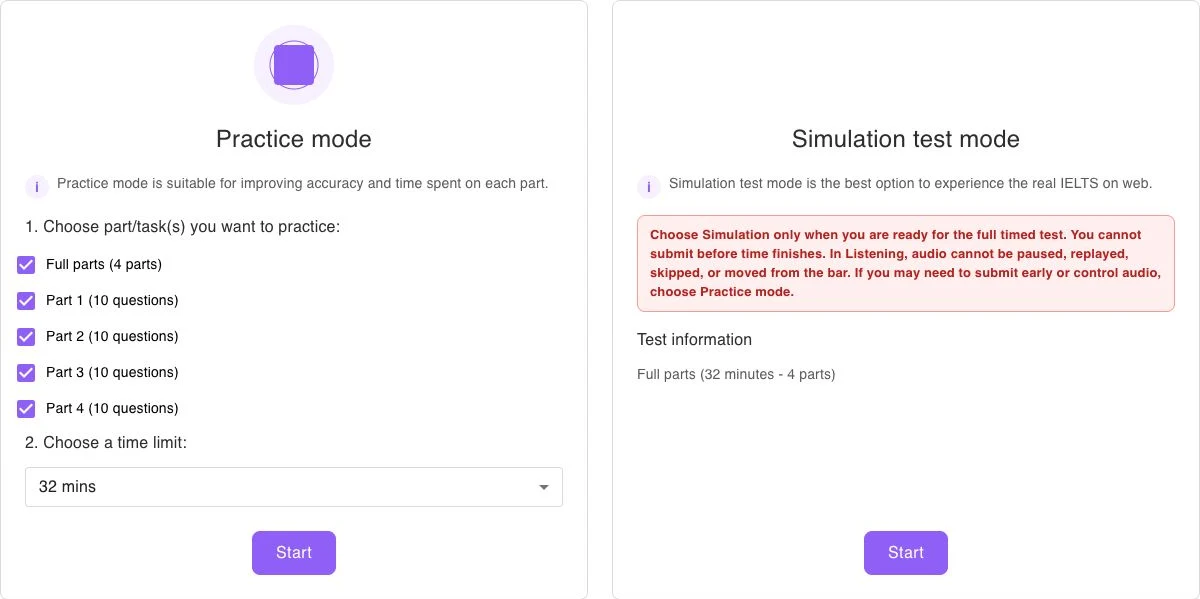
Practise IELTS Listening in Swiftuni one part at a time, or use Simulation mode to work through all four parts without playback controls.
Choose Academic or General Training in your account. Test availability depends on your account.
Check the instructions and anticipate the kind of answer each gap needs.
Notice corrections and changes of plan. Keep following the conversation if you miss a detail.
Where Practice mode allows playback controls, replay the difficult portion and check the spelling and form of your answer.
BEFORE YOU BEGIN
No. The Swiftuni Listening simulation disables pause, replay, skipping and seeking. Choose Practice mode to use playback controls.
Yes. Select the part you want in Practice mode. The setup also lets you choose a time limit.
MAKE YOUR NEXT SESSION COUNT
Open Swiftuni in your browser, select your exam and choose a task that fits today.
Open the web app Check practice plans