
Summarize Spoken Text
Listen for the main message and supporting ideas, then follow the task’s summary instructions.
PTE ACADEMIC & CORE
Practise PTE listening with Swiftuni through dictation, spoken summaries and audio-based questions. Select your exam, listen carefully and complete the task before reviewing the available answers or feedback. Focus your next session on the details you missed.
Choose Academic or Core in your account. Access depends on your plan and available usage tokens.
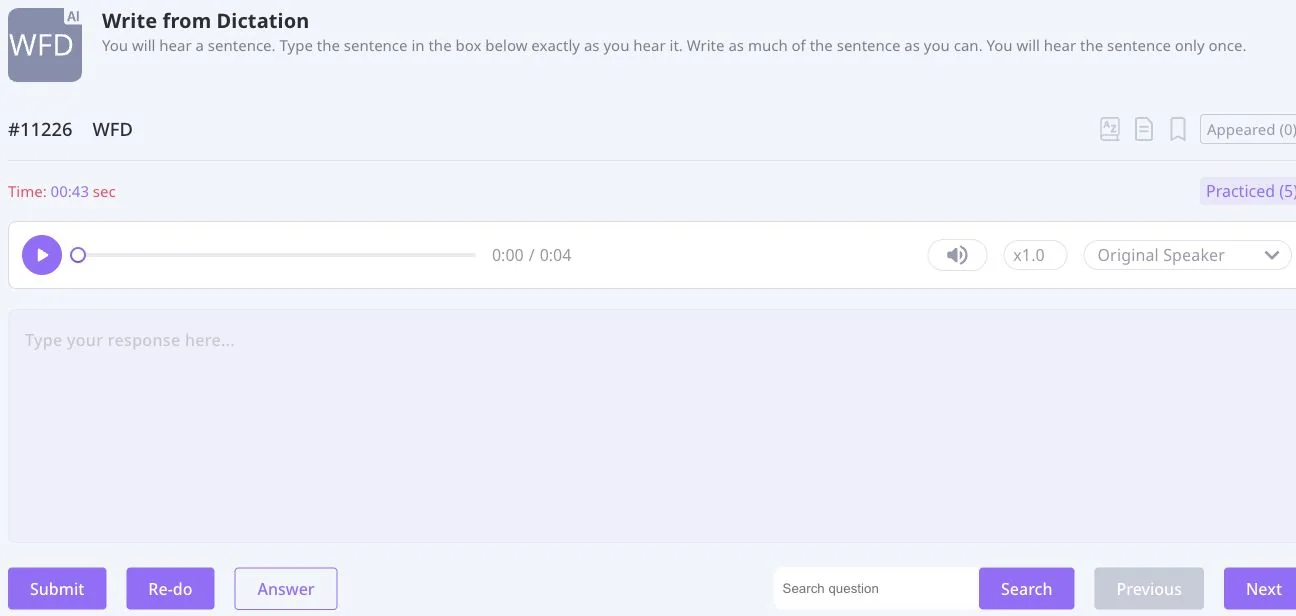
KNOW YOUR TASK
Choose Academic or Core inside Swiftuni, then follow the instructions for the question you open.
Listen for the main message and supporting ideas, then follow the task’s summary instructions.
Compare each option with what you heard.
Follow the recording and identify the missing words.
Choose the summary that represents the recording. Academic only.
Answer the question using information from the recording.
Use the context to choose the ending that fits.
Compare the written text with the recording.
Type the sentence you heard and check the words and spelling.
REVIEW WITH A PURPOSE
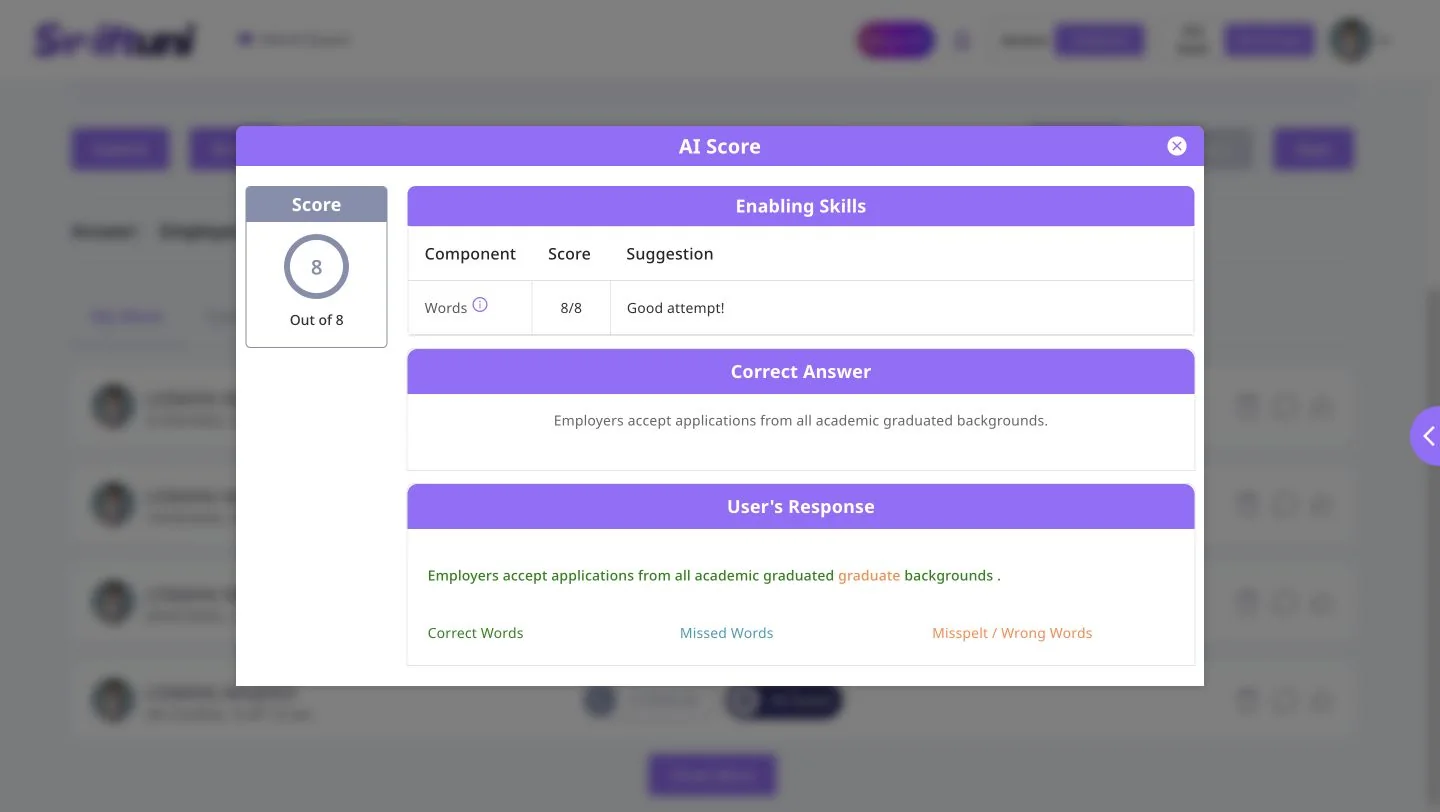
This existing dictation report places the correct answer beside the submitted response and distinguishes correct, missed and wrong words. Use the comparison to find a concrete listening or spelling issue to work on.
Do not stop at the total: this example still highlights an extra word. Swiftuni scores are practice feedback, not official Pearson results or a guarantee of exam performance.
Understand practice feedbackA ROUTINE YOU CAN REPEAT
Know what you need to listen for before starting the recording.
Capture the meaning or exact wording required by the particular task.
Review the available answer or feedback and identify what you missed.
Work on a specific issue such as spelling, a missed phrase or the main idea.
PUT THE SKILLS TOGETHER
Use focused practice to work on a specific difficulty. When you want a broader session, explore the full, sectional and question-type mock tests available for your selected exam and account.
Explore PTE mock testsBEFORE YOU BEGIN
Swiftuni includes spoken summaries, multiple-choice questions, fill in the blanks, selecting a missing word, highlighting incorrect words and dictation. Highlight Correct Summary is an Academic task. Select the correct exam before practising.
Follow the instructions for the real exam; do not assume that practice playback controls are available on test day. Where Swiftuni practice allows replay, use it for review after your first attempt.
Available dictation feedback can compare the expected answer with your response and identify correct, missed and wrong words. Check the actual report rather than relying only on its total.
No. Review tools differ by task. Supported tasks such as spoken summaries and dictation can provide feedback, while objective questions use their available answer checking.
Sign in to check your account’s access. Some questions or evaluations require an eligible plan or available usage tokens; do not assume unlimited free access.
MAKE YOUR NEXT SESSION COUNT
Open Swiftuni in your browser, select your exam and choose a task that fits today.
Open the web app Check practice plans